
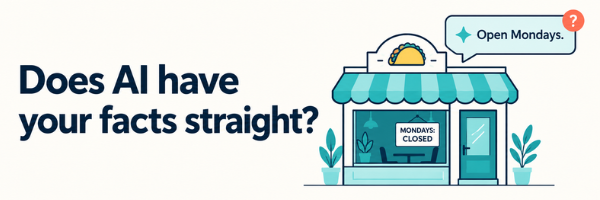
Say you run a taco shop. Every shop has that regular who means well, tells people about you, and gets it wrong. They say you’re open Mondays. You haven’t been open Mondays in two years. They quote an old menu price or send a friend to the back door that’s only for deliveries. Now imagine that regular talking to thousands of people at once. That’s roughly what happens when someone asks an AI assistant about your business. Except the regular has at least eaten there. The assistant hasn’t tasted the salsa or leaned over the counter to ask what costs extra. Everything it knows comes from information published somewhere.
You can’t control every impression of your business. But you can control what you publish.
It Doesn’t Always Check
An assistant may answer from training data, an older copy of your page, a directory listing, or a review site. Even when it retrieves your website, it may not get the current version. That’s why the Mondays problem persists. You updated your hours, but the answer came from somewhere else. Before rewriting your website, check the answer’s sources, if it provides them. If the stale hours live in a directory, fix the directory. Your homepage wasn’t the problem.
Sometimes there are no sources, and you can’t trace the mistake. Keep your website and profiles current anyway. Better information raises the odds of a correct answer. It doesn’t guarantee the next one.
It Skims
An assistant may receive a simplified version of your page: extracted text, a screenshot, or a list of headings, links, and buttons. What reaches it depends on the tool. A landscaping company might show its service area on a highlighted map. In a text-only copy, that section could read “Areas We Serve” with nothing underneath. Keep the map, but write out the towns too. Do the same for hours, prices, or menus published only as images.
Context can disappear as well. A cleaning service might advertise “Starting at $150” and explain six paragraphs later that this covers a one-bedroom with no add-ons. An extracted passage can carry the price without the condition.
Keep conditions next to claims, preferably in the same sentence.
Essential information can also get missed when it appears only after an interaction: a price inside a calculator, hours loaded separately, or services hidden behind a tab. Ask your developer to make essential public information available when the page first loads. These changes help people too. Most visitors are also skimming.
It Tries to Book
Some assistants go beyond answering questions. They open a browser and try to book an appointment or complete a form. Knowing that you take appointments is only the beginning. The assistant still has to choose a service, find an opening, enter the right details, and recognize that the booking succeeded. Unclear fields, vague errors, and missing confirmations can stop that process. A field labeled “Date” without a format leaves room for error. “Something went wrong” gives no way forward. A submit button that returns to the same page leaves everyone guessing.
Use clear labels, specific errors, and an unmistakable booking confirmation. Then test the whole process from outside your business.
A readable form is not proof that booking works.
Accuracy Doesn’t Guarantee a Recommendation
Suppose you fix the listings, write out the service area, and improve the booking form. An assistant may understand your business and still recommend someone else. For a page to appear as a supporting link in Google’s AI features, it must be indexed and eligible for a normal search snippet. That makes it eligible for consideration. It doesn’t promise selection.
Treat shortcuts with the same caution. Last year I said an llms.txt file was worth asking your developer about. I’d qualify that advice now: Google says it doesn’t use the file for its AI search features. Requests from other crawlers don’t establish how much it influences their answers. Different providers use different systems. Neither a special file nor schema markup guarantees a recommendation.
Broad “AI blocking” settings also deserve scrutiny. Some providers separate training crawlers from search crawlers. Have your developer check what a setting blocks before enabling it. You could shut out a source of customer referrals while trying to prevent training use. And remember: robots.txt gives instructions to cooperative crawlers. Private information needs access controls.
Check What It Says
Ask a few assistants for a business like yours without naming yourself: “Where can I get tacos near Proctor?” That shows whether you appear in those answers. Then provide your exact service-page address and ask about your services, coverage area, and pricing conditions. That tests what the assistant gets right when pointed directly at your information. Check the sources. Are they current? Do they support the answer?
Read your website as a stranger would, with no memory of the room and no one behind the counter to explain. Could they work out your hours, what you offer, what your prices depend on, and how to book? You can’t guarantee what an assistant will say. You can give it a clearer account of your business.